
 EN
EN
 ES
ES
 PT
PT
 NL
NL
 AR
AR
 HR
HR
 CS
CS
 DA
DA
 FI
FI
 FR
FR
 DE
DE
 EL
EL
 IT
IT
 JA
JA
 KO
KO
 NO
NO
 PL
PL
 RO
RO
 RU
RU
 SV
SV
 TL
TL
 IW
IW
 ID
ID
 LT
LT
 SR
SR
 SK
SK
 SL
SL
 UK
UK
 VI
VI
 ET
ET
 HU
HU
 MT
MT
 TH
TH
 TR
TR
 FA
FA
 GA
GA
 BE
BE
 IS
IS
 LB
LB
 BG
BG

/images/share.png)
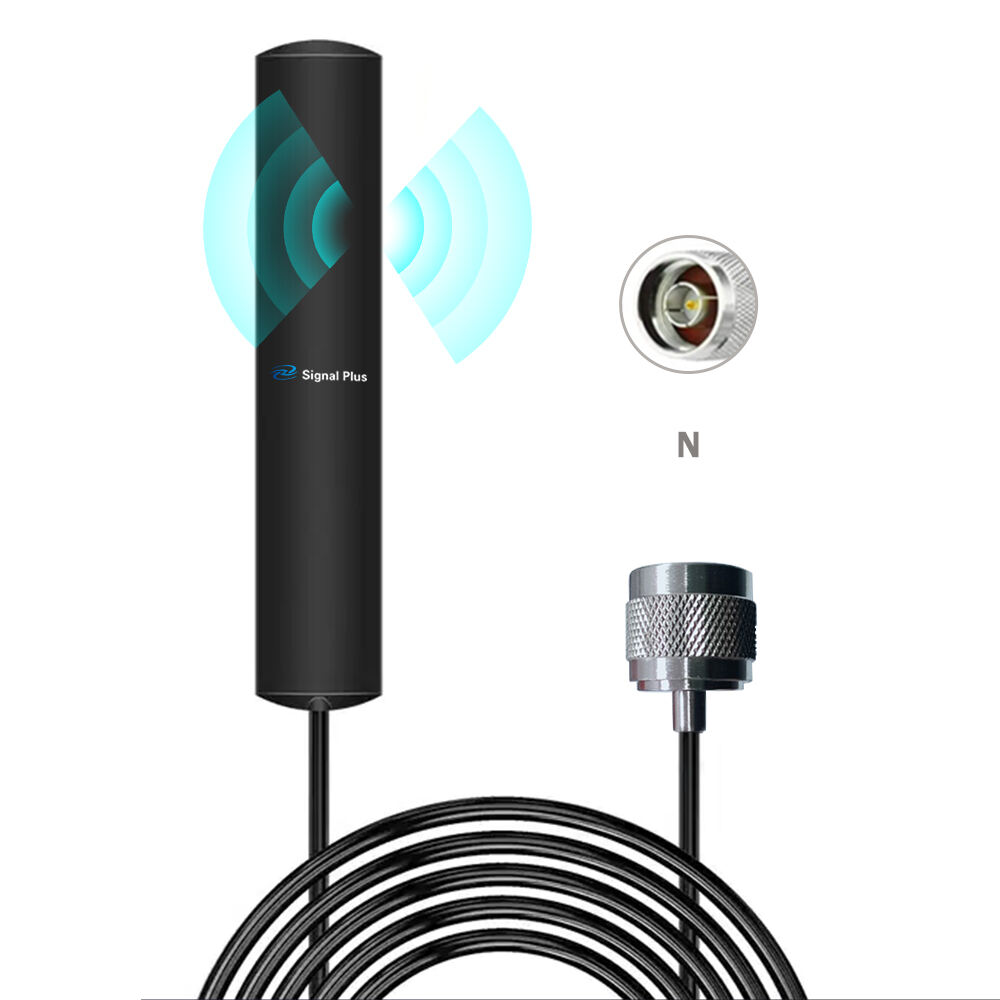
WiFi antennas is important tools for getting strong and steady internet connection. They help connect to WiFi networks, whether inside home or outside in yard. At Signal, we knows how crucial good connectivity is, and we want to help you understand what types of antennas best suited for your needs. This article will explore different types of WiFi antennas, their benefits, and how to place them for best performance.
What Are the Benefits of Using Directional vs. Omnidirectional Antennas?
When choosing WiFi antenna, you often come across two main types: directional and omnidirectional. Directional antennas focus signal in specific direction. This mean they great for long distances. If you have WiFi router in one part of house and want connect to device far away, a directional antenna can helps. For example, if you have garden shed and want WiFi there, pointing directional antenna towards it make big difference. They also can reduce interference from other sources because they focus on one area.
On other hand, omnidirectional antennas spread signal in all directions. This useful when you want cover larger area, like entire home. If router located in center of house, omnidirectional antenna can provide strong signal to every room. So, imagine having friends over and everyone wants use internet. Omnidirectional antenna helps everyone get good connection. However, they might not reach as far like directional antennas.
Choosing between these types depend on your needs. If you need connect devices far away or in specific direction, go for directional antenna. But if you want cover whole space, omnidirectional antenna is way to go. At Signal, we offer variety of antennas to fit different setups, ensuring you get best performance out of WiFi network.
How WiFi Antenna Placement Affects Signal Quality and Range
Where you place WiFi antenna can really change how well internet works. If you want strong connection, think about where you put antenna. First, avoid putting it in corners or behind big objects. Things like walls, metal furniture, even people can block signal. With this, if you have antenna up high and in open space, it will send out stronger signal. That’s why you often see antennas on rooftops or tall posts for outdoor use.
Also, consider direction antenna points. For directional antennas, aim it toward area where you need signal most. If you have home office, point antenna toward that room. If you’re outside, make sure it directed toward backyard or wherever you spend time. Even small changes in placement can lead to big differences in signal strength.
In addition, if you have multiple antennas, think how they work together. Sometimes placing them too close cause interference, making signal weaker. Spread them out to cover more area. Testing different spots can help find best location. At Signal, we understand these factors and can guide you on best practices for exterior wifi antenna placement. Proper placement can help enjoy fast and reliable internet connection, whether indoors or outdoors.
What Common Issues Can Affect Indoor WiFi Antenna Performance?
Indoor WiFi antennas sometimes has problems that make internet slow or unreliable. One common issue is interference from other devices. Many people have lots of gadgets in homes, like microwaves, cordless phones, Bluetooth speakers. These devices create signals that mess with WiFi signal, causing it drop or slow down. Thick walls and furniture also can block signals, making hard for devices to connect. If you place WiFi antenna in corner or behind big object, you might notice internet isn’t as fast as it could be.
Another issue is distance between WiFi antenna and devices. If you too far away from antenna, signal will be weak. This like trying hear someone talking from far away; you can't catch everything they say. It’s best keep devices close to antenna for strongest connection. Number of devices connected to WiFi also cause problems. If too many people using internet at same time, it can slow everything down. For example, if someone streaming video while another playing online game, connection might struggle.
Lastly, outdated equipment can hurt performance. If you have old WiFi antenna, it may not work well with newer devices. Just like you need keep phone updated, WiFi equipment should be up to date too. At Signal, we believe understanding these common issues can help find right solutions to improve indoor WiFi experience.
How to Troubleshoot WiFi Connectivity Problems with Antennas
If you having trouble with WiFi, don't worry! There simple steps you can take to fix problems. First, check see if WiFi antenna plugged in and turned on. Sometimes, simplest solution is right one. If everything looks good, try restarting router. Just unplug it for about 10 seconds then plug back in. This can help clear up any small issues. When router restarts, give it minute to connect again before checking if WiFi working.
Next, check your devices. Make sure they connected to right WiFi network. Sometimes, devices can connect to neighbor's network without you knowing. If that happen, just disconnect and reconnect to own network. You also can try moving closer to antenna. If you notice connection gets better, you might need find better spot for antenna.
If you still having trouble, it might time to look for interference. As mentioned, other devices can cause problems. Try turning off devices like microwaves or cordless phones to see if helps. Also, check if there any thick walls between antenna and devices. If possible, move antenna to more open space. Lastly, if you still having issues, you might want consider getting new antenna. At Signal, we can help find right antenna that works best for home, ensuring you stay connected without interruptions.
How to Upgrade Your WiFi Network with Right Antenna Solutions
Upgrading WiFi network can make big difference in how well it works. If you find indoor connection weak or outdoor coverage spotty, getting right antenna can help. First, think about where you want improve signal. For indoor use, high-gain antenna can help get stronger signal throughout home. These antennas focus signal more in one direction, which very helpful if you know where most devices located.
For outdoor use, consider directional wifi antenna. These antennas can send signals farther away, making them perfect for larger areas like backyards or gardens. If you live in big house or have lot of land, this type of antenna can help ensure devices stay connected even when outside. Another option is mesh WiFi system. These systems use multiple antennas to blanket area with strong WiFi. This great for larger homes because it helps remove dead zones where internet might struggle.
Before purchase new antenna, think about how many devices you have and how you use internet. If you stream videos or play games, you’ll want antenna that can handle high traffic. At Signal, we offer variety of antennas to meet needs, whether looking to boost indoor WiFi or extend it outdoors. Upgrading antenna can change way you experience internet, making everything faster and more reliable.
Table of Contents
- What Are the Benefits of Using Directional vs. Omnidirectional Antennas?
- How WiFi Antenna Placement Affects Signal Quality and Range
- What Common Issues Can Affect Indoor WiFi Antenna Performance?
- How to Troubleshoot WiFi Connectivity Problems with Antennas
- How to Upgrade Your WiFi Network with Right Antenna Solutions
